AUTOMATION
Self-host n8n when you can look after the credentials.
n8n connects services and runs the same workflow again. n8n Cloud is the version they operate. The Community Edition is the version you operate. The workflows are the easy part. The hard part is secrets, uptime and a disk that still has yesterday's execution when you need to debug it.
Reviewed 30 October 2026 against n8n's Docker, scaling and pricing pages. How published prices differ from a UK checkout.

Cloud, and a server that stays up
n8n's install notes say self-hosting needs you to configure servers, resources, security and n8n itself, and they recommend Cloud if that is not work you already do. Mistakes can lose data or expose credentials. That is a fair warning for an app whose job is to hold API keys.
The pricing page checked on 30 October 2026 prices plans by monthly workflow executions, with unlimited users and workflows on the plans it lists. Starter was shown at €20 a month when billed annually, with 5 concurrent executions, a 5 minute maximum execution, 2,500 saved executions, 2.5 GB of saved-execution storage and 7 days of log retention. Pro was shown at €50 a month when billed annually, with a maximum duration of 40 minutes, 25,000 saved executions and 30 days of retention. The plan card said "up to 50 concurrent executions". The comparison table said "20 / 50". Those two lines were both on the page, so confirm which Pro size you would actually buy. Business was shown at €667 a month when billed annually and presented as a self-hosted plan for smaller companies, with a control on the page that also mentioned hosting. Treat the live page as the contract, not this paragraph.
Hosted plan data, n8n says, is stored in the EU, on servers in Frankfurt. Self-hosted data is wherever you put the container. Community Edition is the standard build on GitHub. Read the Sustainable Use Licence in that repository before you resell access to an n8n instance. A home workflow is a different case from offering n8n as a service.
| Question | n8n Cloud | Self-hosted Community Edition |
|---|---|---|
| Who keeps it online? | n8n | You |
| What the public price is based on | Monthly executions, with plan limits for concurrency, duration and saved history | Your server. Paid Business features are a separate licence |
| Where credentials live | In the hosted instance | In your database and the .n8n directory, which you must back up |
| Webhooks from the internet | Already reachable | You publish HTTPS, or you use a tunnel only for local tests |
Three picks
n8n Cloud Starter or Pro
Choose Cloud when the workflows are the point and you do not want a public server. Count executions before you pick a tier. n8n's own examples: a daily schedule is 30 or 31 executions a month. A schedule every five minutes is about 8,600 to 8,900 a month. A webhook counts when a request actually starts the workflow. A polling trigger counts when it finds new data, not on an empty poll. Manual runs, sub-workflows and error workflows do not count towards the quota. Only production runs do.
Community Edition on a machine at home
Choose this when the data should stay on hardware you control, the workflows can pause if you are asleep, and you will back up the volume. n8n does not publish a single RAM minimum. Memory errors are documented instead: "JavaScript heap out of memory", executions that stop because a node ran out of memory, and 503s when the process dies. Docker and Cloud restart the process. An npm install may not.
Cloud for the public webhook, self-hosted later
Choose this when you are still designing. A 14-day Cloud trial, as described in the docs, includes Pro features with a limit of 1,000 executions and the computing power of Starter. Move a finished workflow to a server you run only after you know how often it fires. The tunnel in the Docker docs is for local development. The page says it is not safe for production.
A server that can finish one workflow
The documented Docker test, including the warning on that page that Compose is now the recommended install, is still a clear picture of what has to persist. Create a volume, set the timezone twice, and keep the n8n directory:
docker volume create n8n_data
docker run -d --name n8n \
  -p 5678:5678 \
  -e GENERIC_TIMEZONE=Europe/London \
  -e TZ=Europe/London \
  -e N8N_ENFORCE_SETTINGS_FILE_PERMISSIONS=true \
  -v n8n_data:/home/node/.n8n \
  n8nio/n8n
TZ is the system clock. GENERIC_TIMEZONE is what schedule triggers use. Set both to Europe/London if the workflow should follow UK time, including when the clocks change. Port 5678 is the editor. Do not publish that port on the router. Reach it through a VPN or a reverse proxy with HTTPS.
SQLite is the default database, inside the volume, and it stores credentials and execution history. PostgreSQL is the documented step up. Even then, keep the volume. n8n says the .n8n directory still holds the encryption key and other files. Lose that key and the stored credentials do not decrypt. You can set N8N_ENCRYPTION_KEY yourself so the key is not only a file you might forget. Write it down with the backup, not in the workflow.
Updates are image pulls. For Compose, the documented sequence is docker compose pull, docker compose down, then docker compose up -d. Take a copy of the volume first. A weekly minor release is normal. The Docker page named stable 2.45.6 and beta 2.46.2 on the day it was fetched, and the same page said its own content was outdated in favour of Compose. Check the tag you are about to run. Do not treat those two numbers as a permanent recommendation.
Memory, with a workflow you can actually run
n8n will fetch as much data as the node asks for. A Code node that loads 10,000 rows into memory can kill a small VM. The scaling notes say to process about 200 rows at a time instead, to avoid the Code node where a normal node will do, and to avoid manual executions on large data because the editor keeps a copy for the screen. Split the heavy half into a sub-workflow that returns a small result.
If the log says the JavaScript heap ran out, the documented lever is Node's --max-old-space-size, in megabytes, via NODE_OPTIONS. For example, NODE_OPTIONS=--max-old-space-size=2048 allows about 2 GB for that heap. That example is a size you choose because the machine has the RAM. It is not a minimum from n8n. Watch the container while a real workflow runs:
docker stats n8nIf memory climbs to the limit and the process restarts, the workflow is too large for the box, or it needs to be chunked. Buying RAM without chunking just moves the crash to a bigger number.
A schedule every five minutes is the execution example n8n publishes, and it is also a reliability test. 12 times an hour is 288 times a day. If each run stores a large binary, the disk fills even when the CPU is idle. Prune execution data. The scaling section documents saving and pruning for this reason. Binary files can go to external storage when they get large. The automation server project is about keeping that box boring and backed up.
Credentials and a backup that can decrypt them
Stop the container, copy the volume, start the container. A copy taken while SQLite is being written can restore as a corrupt database. Test the copy by starting it on a spare machine with the same encryption key and opening one credential. You do not need to fire the live webhook to prove the backup. You do need to see that the secret decrypts.
Keep API keys out of sticky notes in the workflow canvas. Use the credential store. If a workflow posts to a chat or a model, assume the payload leaves the house. Self-hosting n8n does not make the services it calls local.
Questions before you leave it running
Does a self-hosted instance have an execution quota?
Community Edition is not the Cloud meter. Business and Enterprise features on a server you run use a licence key, and n8n says that key checks in, including production execution counts. Read the current licence if you are about to rely on those features. A personal home workflow on Community Edition is the case this guide is aimed at.
Why did a daily job run an hour early?
The schedule node uses GENERIC_TIMEZONE. The container clock uses TZ. If one is UTC and the other is Europe/London, summer time will surprise you. Set both.
Can I open port 5678?
Do not. The editor is an admin interface. Publish a webhook through HTTPS on purpose, with a path that is not guessable, or keep the instance private and call out through outbound connections only.
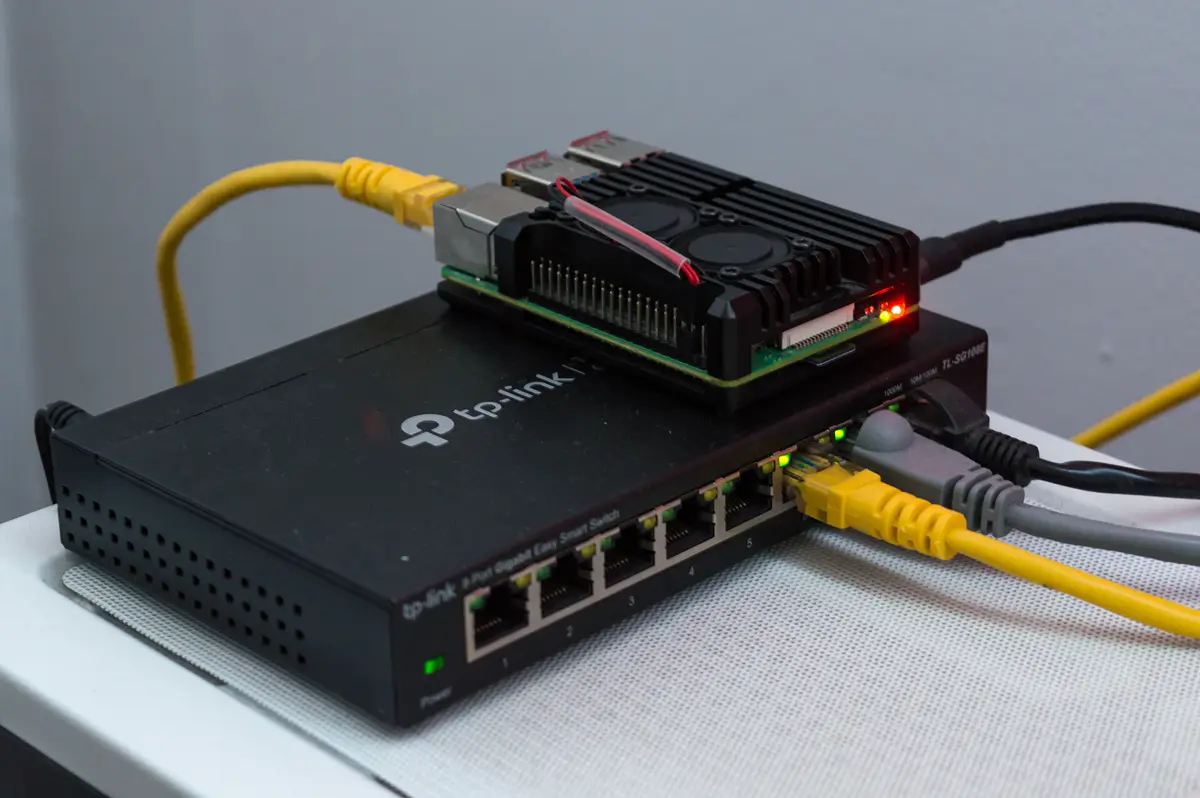
Is the Pi in the photograph the right server?
A small board is enough for a few lightweight workflows. It is a poor place for large Code-node payloads. If docker stats shows the process at the memory ceiling, move n8n to a machine with more RAM rather than hoping the next run is smaller.
Verdict
Use n8n Cloud when you want executions without operating the server, and size the plan from the schedule arithmetic n8n publishes. Use Community Edition when the credentials should live on your disk and you will back up the volume and the encryption key. Give the container a timezone, a persistent volume and enough memory for the largest payload you actually process. Do not put the editor on the public internet.
Sources checked 30 October 2026: n8n Docker install, memory errors, how executions count, n8n pricing, and the n8n repository for the licence.