HOME MEDIA
Jellyfin only gets heavy when a file will not direct play.
Jellyfin organises and streams a library you already have. A television that can play the file barely wakes the server. A phone on a mobile network that needs a different codec is a transcode, and that is the hardware decision.
Reviewed 30 October 2026 against Jellyfin's hardware selection guide and Plex's hardware-acceleration article. How we mark example bitrates.

Direct play, direct stream and transcode
If the client can decode the video and audio, Jellyfin can send the file as it sits on disk. The server is then mostly a file server with a catalogue. If the client needs a different container but the same video stream, the work is lighter than a full transcode. If the video itself must be converted, the server decodes and encodes in real time. Jellyfin's hardware guide says software transcoding of modern codecs is demanding enough that a CPU without a media engine is a poor plan, and that HDR to SDR tone-mapping on the CPU can be too slow even for a high-core desktop chip. Their example is 4K 60 fps Dolby Vision to 4K 60 fps H.264, which they say needs something like a Ryzen 9 5950X to stay ahead of real time. Buy a media engine before you buy more cores for that job.
Jellyfin 10.11 needs x86 CPUs with SSE4.1. Intel from the Penryn generation, around late 2007, and AMD from Bulldozer, around late 2011, are the cut lines they publish. Older chips are out.
Jellyfin and Plex are not the same bill
Jellyfin is software you run without an account at Jellyfin. Plex can play local media too, and Plex's support articles put hardware-accelerated streaming behind an active Plex Pass. The exceptions they name are the NVIDIA SHIELD and two WD My Cloud Pro models, where hardware acceleration is available without that subscription. From 29 April 2025, Plex also requires a Plex Pass or a Remote Watch Pass for remote video playback of personal media on updated apps, either on the viewer or on the server admin account. Music to Plexamp and photos to Plex Photos are excluded from that remote rule. This guide does not quote a Plex Pass price. Read the current plan page before you compare a yearly fee with a used mini PC.
| Question | Jellyfin | Plex |
|---|---|---|
| Account with the vendor | Not required to run the server | A Plex account is part of normal use |
| Hardware transcode | A feature of the server you configure, on supported hardware | Plex Pass on most hardware. Shield and two named WD NAS models are the documented exceptions |
| Remote video of your files | Your network and your server. Jellyfin says not to expose the server directly | Since 29 April 2025, updated apps need Plex Pass or Remote Watch Pass for remote personal video |
| Where media should sit | Any store faster than the file bitrate, including a network share. The Jellyfin application files want an SSD | Your library on disk, with the server's own database kept healthy |
Three picks
Files that already match the TV
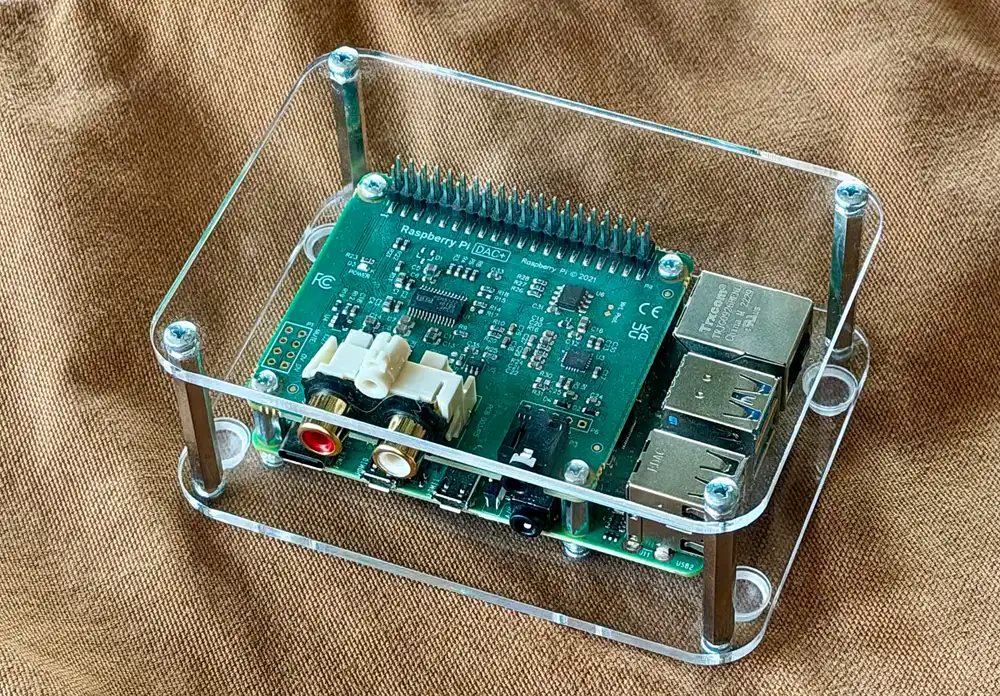
Choose a modest always-on PC, or even a small existing server, when every client direct-plays H.264 or HEVC. Spend the money on disks and a wired network, not on a graphics card. Jellyfin wants the server on Ethernet. Wi-Fi and powerline are called out as a poor experience for the server itself. A player, such as a small board beside the television, can be a client. Jellyfin's hardware page is much stricter about the server: most single-board computers, including the Raspberry Pi 5, are listed as too slow, with Rockchip RK3588 and recent Intel N-series called out as the exceptions worth considering.
One box that can transcode
Choose a machine with a supported media engine when phones and browsers need 1080p H.264 from heavier files. For a server without a separate graphics card, Jellyfin's current short list includes Intel Core i5-11400, Pentium Gold G7400, Intel N100, and Apple M-series, with Intel UHD 710 or newer integrated graphics. They tell buyers not to choose AMD integrated graphics for this job. Intel 7th to 10th generation still works if you already own it, but the Quick Sync toolkit for those generations is deprecated, so they are a weak new purchase. AMD discrete cards are the option they like least, because of encoder quality and drivers. NVIDIA from the GTX 16 or RTX 20 series upward is the dedicated-card path they describe, excluding the GTX 1650, and some low cards such as the GT 1030 cannot encode at all.
Plex, if the clients and the Pass are the product
Choose Plex when the household already lives in Plex apps and you will pay for the features you need, including hardware transcode and remote video on current apps. The server work does not disappear. You still store the files and you still want a backup of anything you cannot re-download.
Figures from the hardware guide
Shared advice, whatever the CPU: about 100 GB of SSD for the operating system, Jellyfin's own files and the transcode cache, with more if you are on Windows 11 or you transcode many large files at once. Gigabit Ethernet or faster. At least 20 Mbps of upload if people stream away from home. If your whole upload is under 100 Mbps, Jellyfin suggests capping its bandwidth at about 70 percent so the rest of the house still has internet. That control is in the server dashboard.
RAM: 8 GB is the general recommendation. 4 GB may be enough for a Linux server with no graphical desktop. Add more on Windows 11. A dedicated GPU does not replace that system memory. For a discrete card they also want a CPU around an Intel Core i5-2300 or an AMD FX-8100 or better. The CPU brand does not set hardware-encode quality. The media engine does.
Intel CPUs with an F suffix have no integrated graphics. Ryzen 1000 to 5000 desktop chips need a G suffix to have integrated graphics. Ryzen 7000 desktop chips lack it when the name ends in F. Check the exact model. An Arc B-series card wants Resizable BAR, which means Intel 10th generation, Ryzen 3000, or newer. Arc A-series can run without it, with a performance cost they put at about 10 percent.
Low-power options they name: Intel 12th generation N-series or newer, an Apple silicon Mac mini, or an RK3588 board for people who already know those boards. Prebuilt NAS appliances and older Intel Atom-class J, M, N and Y chips up to 11th generation are on the caution list.
Application files want an SSD because the access pattern is random. Avoid SMR hard disks for that role. Media files are sequential. A hard disk or a network share is fine when it can sustain the bitrate. See SSD and hard disk roles for how to split them.
A bitrate sum you can redo with your own file
Storage and upload both come from bitrate. The sums below use example bitrates so the arithmetic is visible. They are not measurements of a named film. Replace them with the bitrate of a file you own. Jellyfin and most players can show it in the file details.
A 90-minute file at 8 Mbps is 8 times 90 times 60, divided by 8, because megabits must become megabytes. That is 5,400 MB, about 5.3 GB. The same 90 minutes at 60 Mbps is 40,500 MB, about 39.6 GB. Forty films at the lighter figure are about 210 GB. Forty films at the heavier figure are about 1.6 TB. Subtitles and extras sit on top. The media storage calculator is the place to vary the count.
Upload works the same way. A line with 40 Mbps of upload, capped at 70 percent for Jellyfin, leaves about 28 Mbps. One 8 Mbps stream fits. A 60 Mbps remux does not, unless that client direct-plays on a faster path or you keep a smaller copy. Two relatives watching 8 Mbps streams at once are 16 Mbps, still inside 28 Mbps. A third stream is the moment the cap matters.
Jellyfin says the server is not designed to be exposed directly to the internet. Put it behind a firewall. Remote access can be a VPN into the house, or a reverse proxy you understand. Hardware acceleration does not fix an open port.
A first library that teaches you the difference
Put ten files on the SSD or the media disk. Play one on the television over Ethernet. Then play one in a phone browser on mobile data. In the Jellyfin dashboard, see whether the session says it is direct playing or transcoding. That single check is worth more than a spec sheet. If the phone transcodes and the picture stutters, the fix is a client that accepts the codec, a smaller file, or a CPU or iGPU on the recommended list. It is rarely "buy a graphics card and hope".
Keep the install on a current Jellyfin release and read the hardware page again when you replace the machine. Encoder rankings move. The page checked for this guide ranked recent NVIDIA, Intel Arc and Apple media engines ahead of older AMD H.264 encoders for default settings, and it said Intel drivers are the easier Linux path if you do not need NVIDIA for something else.
Back up the media you cannot replace, and back up Jellyfin's configuration if rebuilding the library scan would be painful. Ripped discs can be re-ripped. Home videos cannot. The media server project on the home server pages covers the room and the network around the app.
Questions before you buy a box
Will a Raspberry Pi 5 run Jellyfin well?
Jellyfin's hardware guide says most single-board computers, including the Pi 5, are too slow for an acceptable server, mainly because hardware acceleration is missing or weak. A Pi can still be a player in the living room. Use a different machine as the server if you need transcoding.
Do I need a GPU if everything direct-plays?
No. You need reliable disks, wired networking and enough CPU for the catalogue and audio. Add a media engine when a real client transcodes.
Is 4 GB of RAM enough?
Jellyfin says 4 GB may do for a Linux server without a graphical desktop, and 8 GB is the ordinary recommendation. Windows 11 wants more. If the same PC runs Nextcloud and Immich, add those requirements. Do not stack three "4 GB is enough" claims on one 4 GB stick.
Can the media live on a NAS share?
Yes, if sequential reads keep up with the bitrate. Keep Jellyfin's own files and the transcode cache on SSD, not on an SMR hard disk.
Verdict
Use Jellyfin when you want a library without a Plex subscription, and match the hardware to the clients. Direct play wants disks and Ethernet. Transcoding wants a media engine Jellyfin still recommends, such as a recent Intel iGPU or N100-class chip, plus 8 GB of RAM in the ordinary case and about 100 GB of SSD for the app. Use Plex when its apps are what the household will actually open, and budget for Plex Pass if you need hardware transcode or remote personal video on current apps.
Sources checked 30 October 2026: Jellyfin hardware selection, Plex hardware-accelerated streaming, and Plex remote playback requirements.